
Teach Claude your voice, then rewrite your website in it
You end withYour homepage rewritten in your voice, with a before and after to compare.
- Time30 min
- LevelBeginner
- ToolsClaude · Humanizer skill
- Guide10-page PDF
What you’ll learn
- Fix your headline, sections and buttons in Claude.
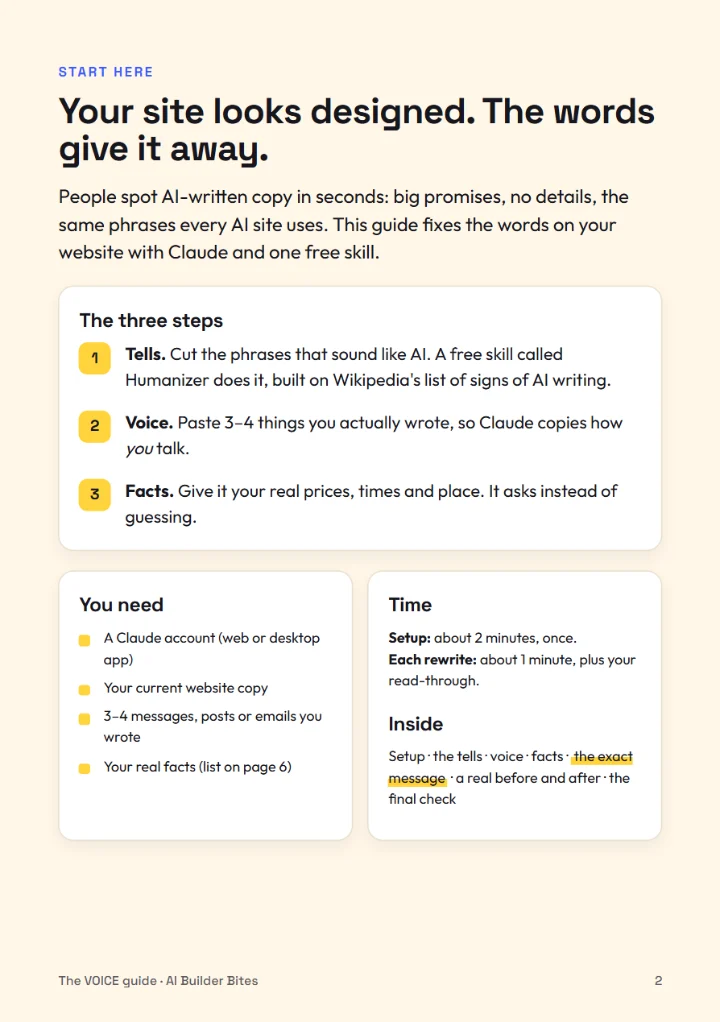
- Three steps: the tells, your voice, your facts.
- The exact message to paste, and a real before and after.
The build, in three moves
Spot the tells
Add a free Claude skill built on Wikipedia's list of the signs of AI writing, and see what gives your page away.
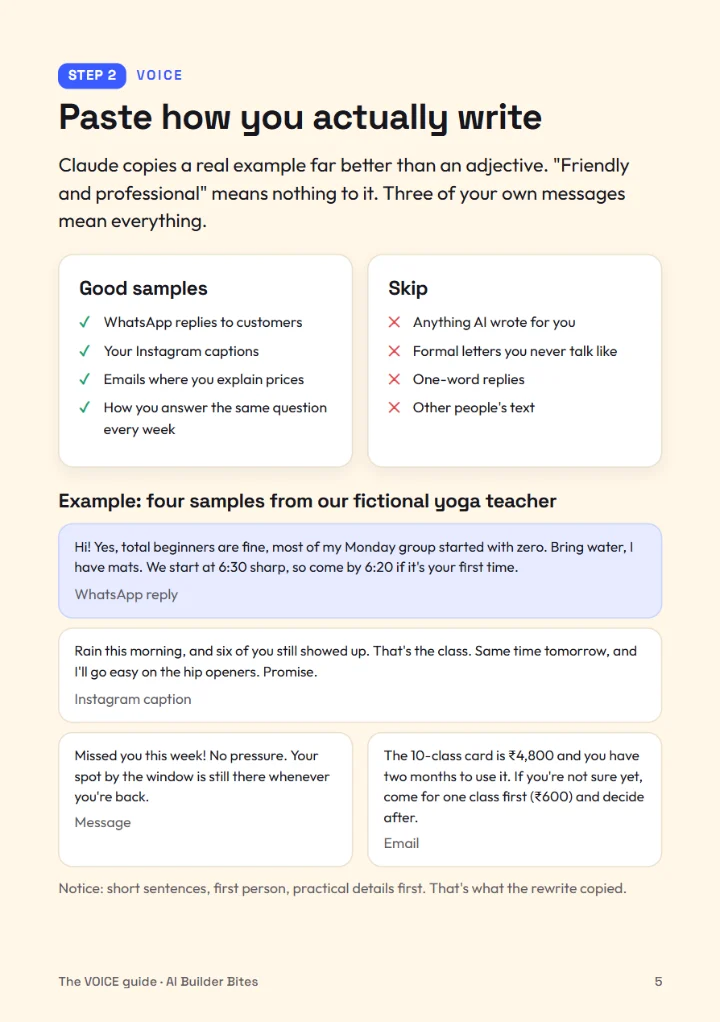
Give Claude your voice
Paste three or four things you actually wrote so Claude learns how you sound, not how websites sound.
Add your facts
Give it the details only you know (place, price, how to book) and get a page that answers real questions.
See the result first
A real result from our own run, straight from the guide, so you know exactly where you’re heading.
Send me the guide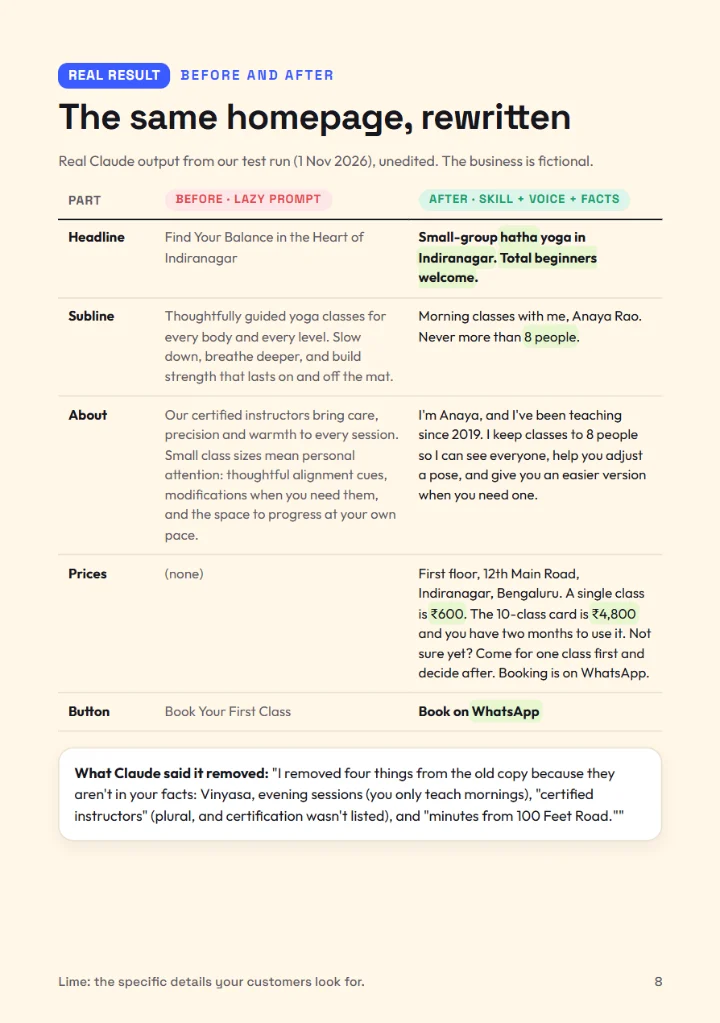
Inside the guide
Before you start
What do I need?
Claude · Humanizer skill open in another tab, and about 30 minutes. Everything else is in the guide.
Do I need to know how to code?
No. You say what you want in plain English, and the guide gives you the exact words to paste.
How do I get the guide?
Enter your email above. The PDF link arrives in seconds and opens on your phone.
Is it really free?
Yes. Every guide is free from the first step to the last.
Build this next
-
WebsitesBeginner
Launch a website on your own domain that turns visitors into enquiries
You end withA live one-page site at your own address, with a form that sends enquiries to your inbox.
45 minComing soon -
WebsitesIntermediate
Turn scattered work into a portfolio site clients reply to
You end withCase studies written from your own files, on a site with a one-tap enquiry button.
40 minComing soon -
WritingBeginner
Set up a content engine that drafts a month of posts in your voice
You end withA project that knows your voice and topics, and 30 posts ready to schedule.
30 minComing soon